Released September 15, 2026
Connect once and pick the days you want, choose the map your film is drawn in, and use the whole of a big screen.
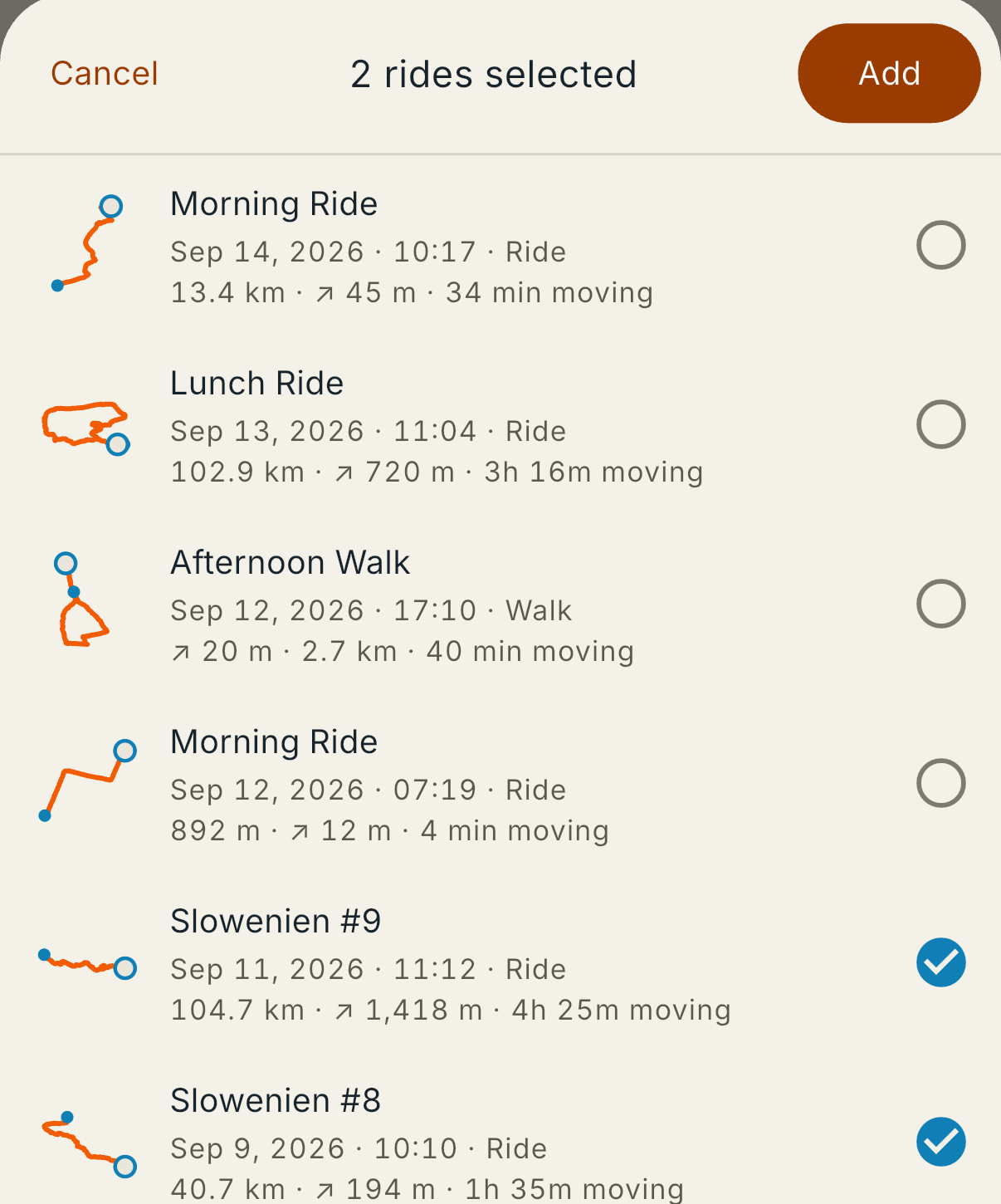
Tap Get rides from Strava on the Rides step, approve it once on Strava's page, and your activities are a list inside the app. Tap the ones you want and Add. There is no file to export and no browser detour.
Walks are in the list too, which is what you want for a rest day you spent on your feet.
Strava limits access while How It Went is new, so it can come back saying it would not connect. A file works when that happens, and the Garmin export carries more of the ride anyway.
How it works today: Rides from Strava
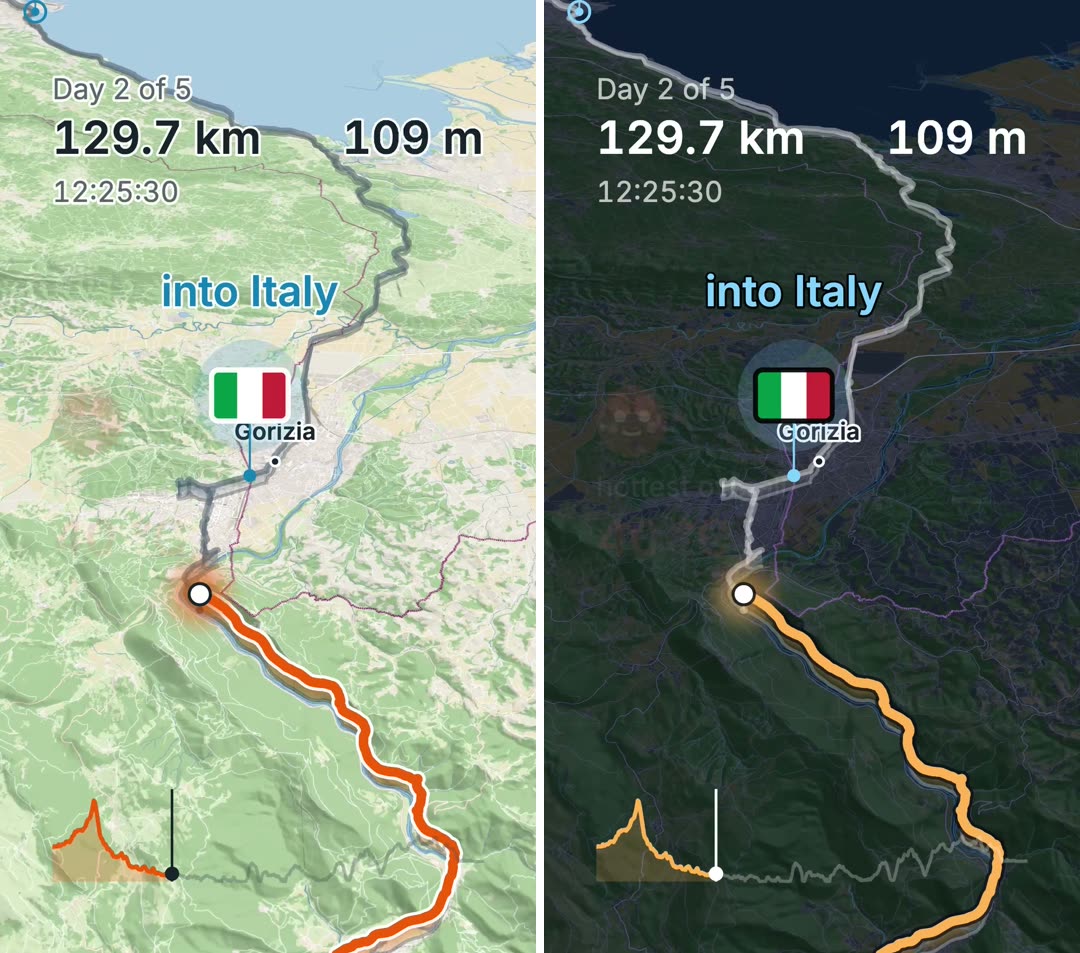
Map style sits on the Film screen, right under the format. Five to choose from, and the film redraws in whichever one you pick.
The default is Daylight. If most of your photographs are from the evening, try Dark slate — the orange track holds up on it, and the photographs stop looking like they were taken on a different day than the map they sit on.
How it works today: The Film screen
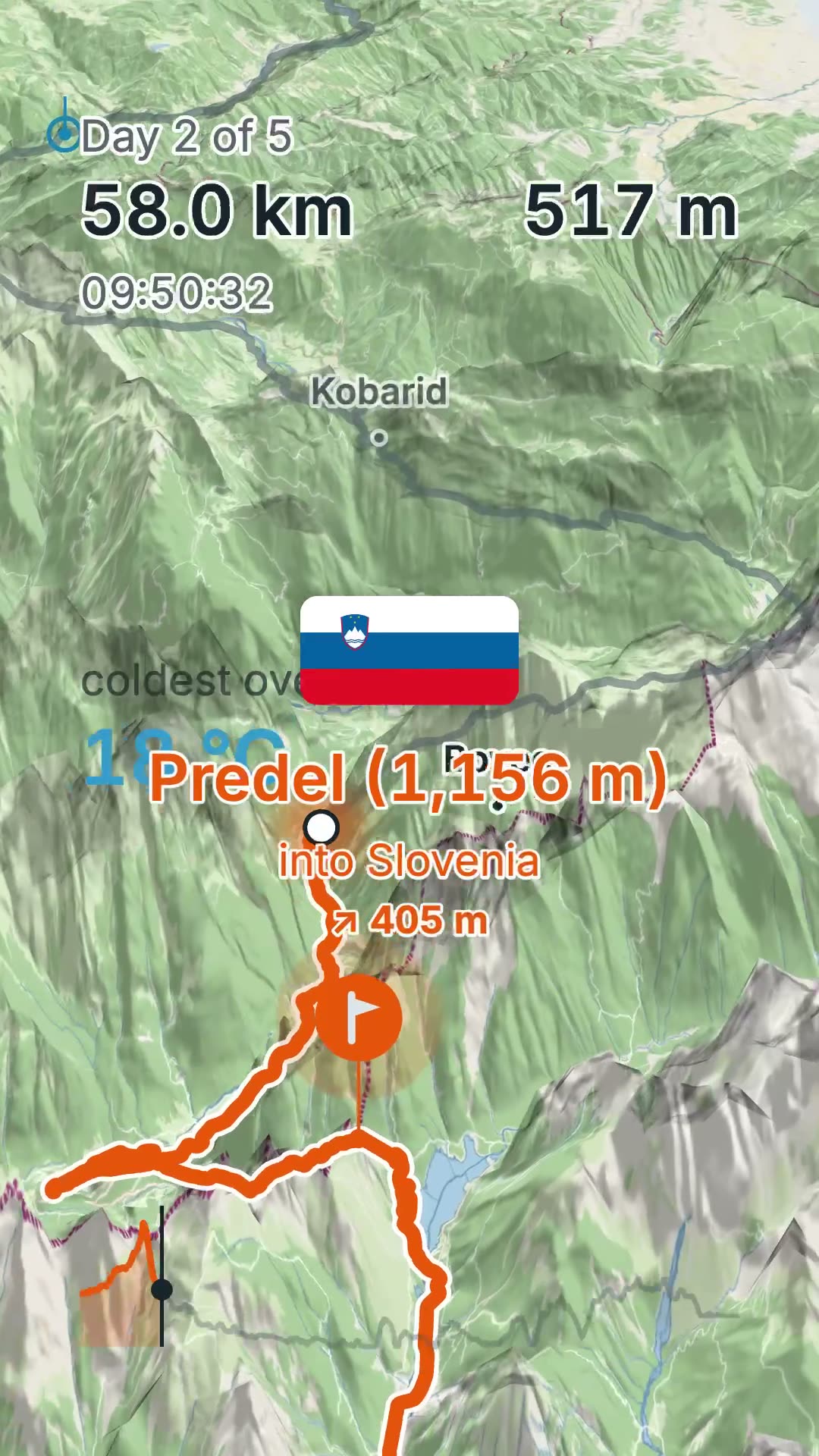
Under Advanced, 3D terrain stands up twice as far off the map as it did.
Turn the track wall off when you turn it on. The wall shares its vertical scale with the terrain, so with the ground standing up the wall ends up inside the hill rather than on it.
How it works today: The Film screen
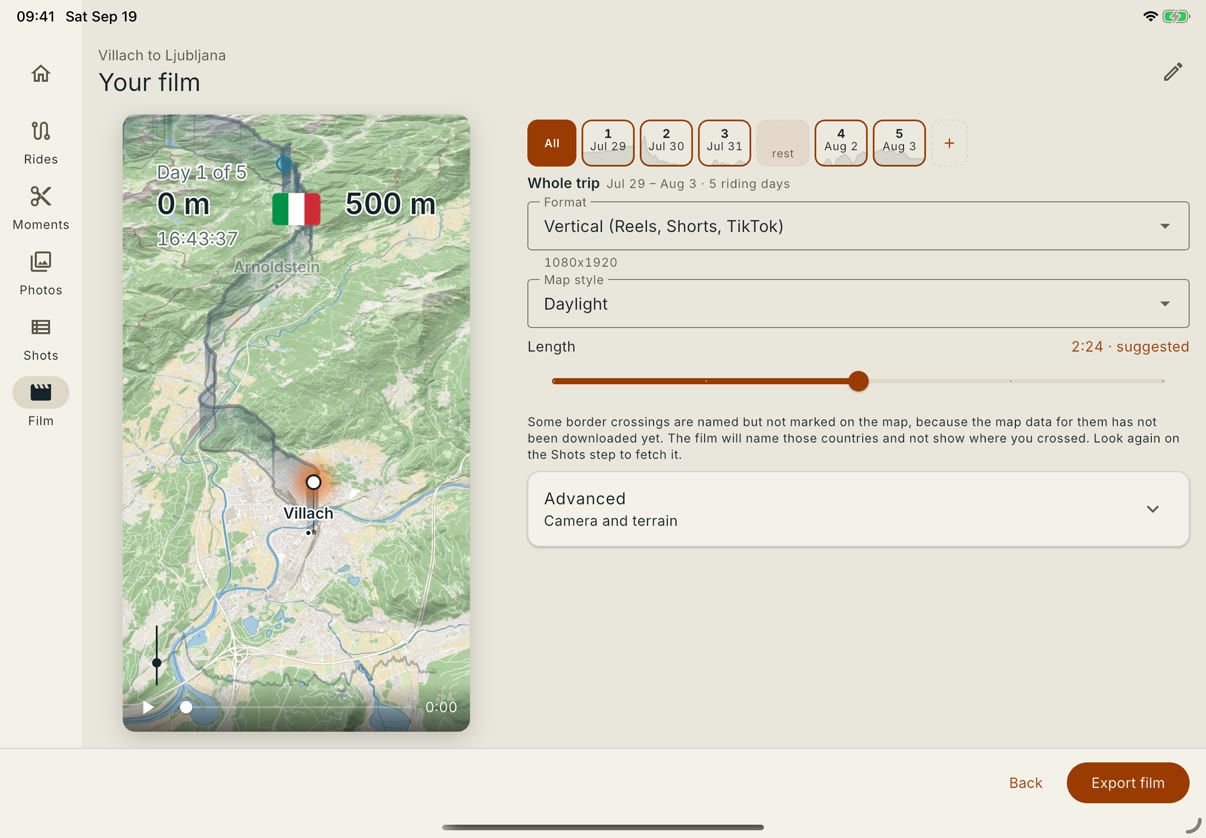
On an iPad or in a Mac window the steps move into a rail down the side, and once there is room the film sits beside its controls rather than above them. On an 11-inch or larger iPad held upright that happens on the Film step, and with any iPad turned on its side, the mini included, it happens on every step.
It earns its keep on the two jobs a phone is worst at: trimming a clip to the frame you meant, and reading a week of photographs to decide which ones are in.
How it works today: On a Mac or an iPad