Connect once from the Rides step, then pick the days you want.
Strava is the short way in. There is no file to export, nothing to download and no browser detour: you connect once, and from then on your rides are a list inside the app.
That is the whole of it, and it happens once. The next trip goes straight to the list.
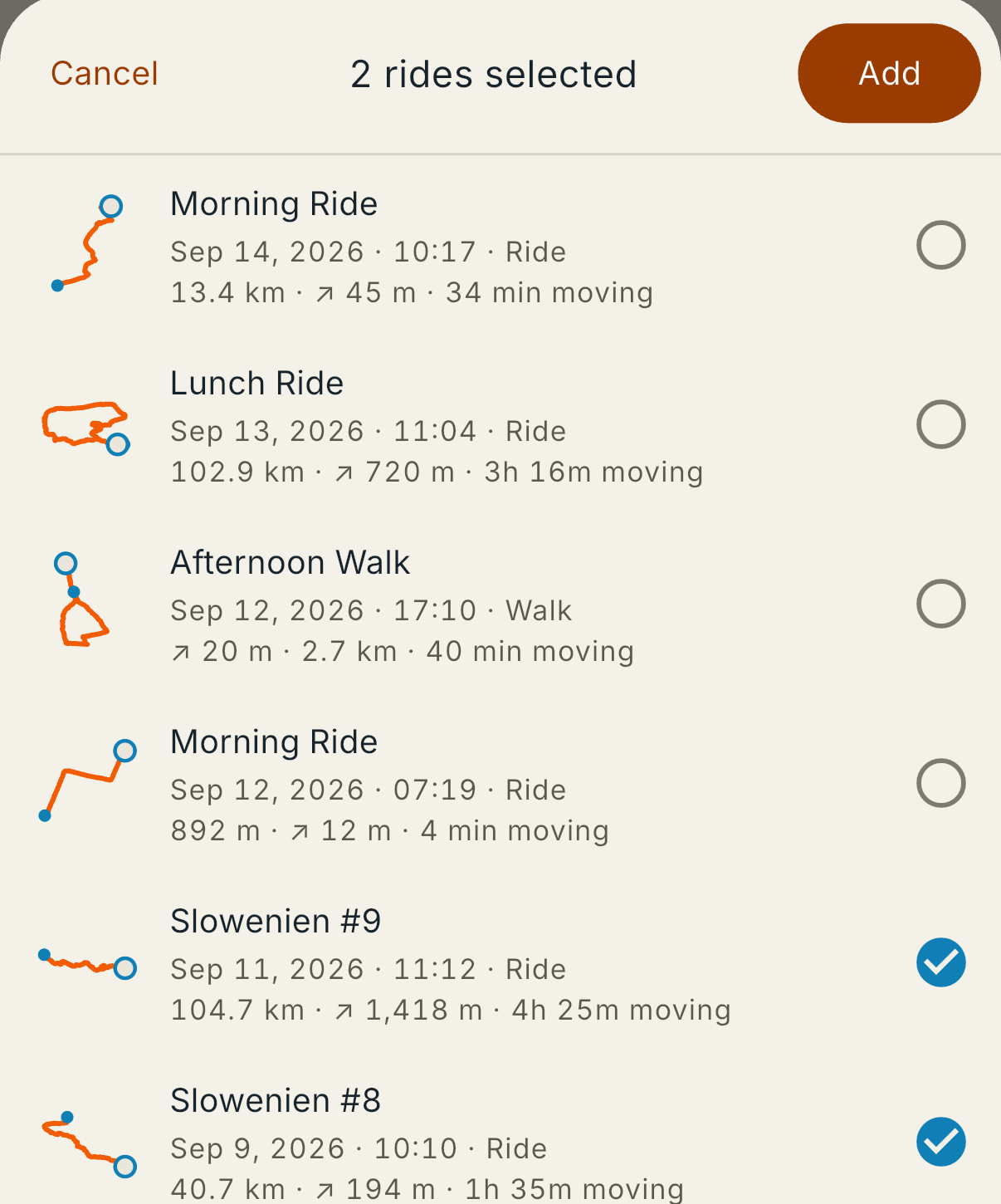
Tap a row’s circle to take it. The heading counts as you go, and Add stays dim until you have picked something. Take every day of the trip in one pass rather than going back for them — the days come out of the timestamps, so a week of riding arrives as a week.
Everything you recorded is in the list, not only the rides. A walk between two riding days is there with Walk beside its date, which is what you want for a rest day you spent on your feet. The list is in the order Strava has it, newest first.
Access to Strava is limited while How It Went is new, so the app can come back with “Strava would not connect”. That is not something you did, and it is not worth waiting out.
A file works when it happens, and it is the route that carries more of the ride anyway. If you record on a Garmin, take the export described in Rides from Garmin. For anything else, the paths are on Getting your rides in.
A different message, “Strava could not be reached”, is the ordinary one: that is the connection rather than the account, and trying again usually settles it.
Checked on September 14, 2026, against: